You squeezed your 35B model onto 8GB of VRAM. You disabled mmap, locked the model in RAM, and quantized your KV cache. You're already running faster than you have any right to.
So why does LM Studio now have a setting that can push your tokens-per-second even further — and almost nobody is talking about it yet?
Multi-Token Prediction (MTP) just landed in LM Studio 0.4.14 beta. It's brand new, it's real, and if you're running a Qwen3.6 35B or 27B setup, it's a free upgrade to everything you've already built.
What MTP Actually Is (The Non-Paper Version)
Standard language model inference is painfully sequential. The model predicts one token, appends it, reads the whole sequence again, predicts the next token, repeat. It's like writing a sentence one letter at a time and re-reading from the beginning after each keystroke.
MTP breaks that pattern. Instead of drafting a single token at a time, the model speculates ahead — it drafts several tokens in parallel using lightweight prediction heads that are baked directly into the model architecture. These aren't separate models. They're extra layers trained alongside the main weights specifically to make educated guesses about upcoming tokens.
The main model then verifies those guesses in a single forward pass. If the predictions are correct — and with a well-trained model on structured tasks, they often are — you get multiple tokens for roughly the cost of one. If a prediction is wrong, you fall back to the verified token and continue from there.
The result: higher effective throughput without changing your model, your VRAM budget, or your hardware.
This is distinct from traditional speculative decoding, which requires a separate draft model running in parallel and eating its own VRAM. MTP bakes the draft heads directly in — no second model, no extra memory overhead.
Why It Matters Specifically for Your Setup
Your bottleneck on a constrained-VRAM setup isn't raw compute — it's memory bandwidth. Every token generation requires reading the model weights from VRAM (or RAM, if you're offloading layers to CPU). That read cost is constant whether you're generating one token or one hundred.
MTP exploits this. Since the verification pass reads the weights anyway, confirming multiple draft tokens costs almost nothing extra in bandwidth. You're amortizing that fixed read cost across more tokens per cycle.
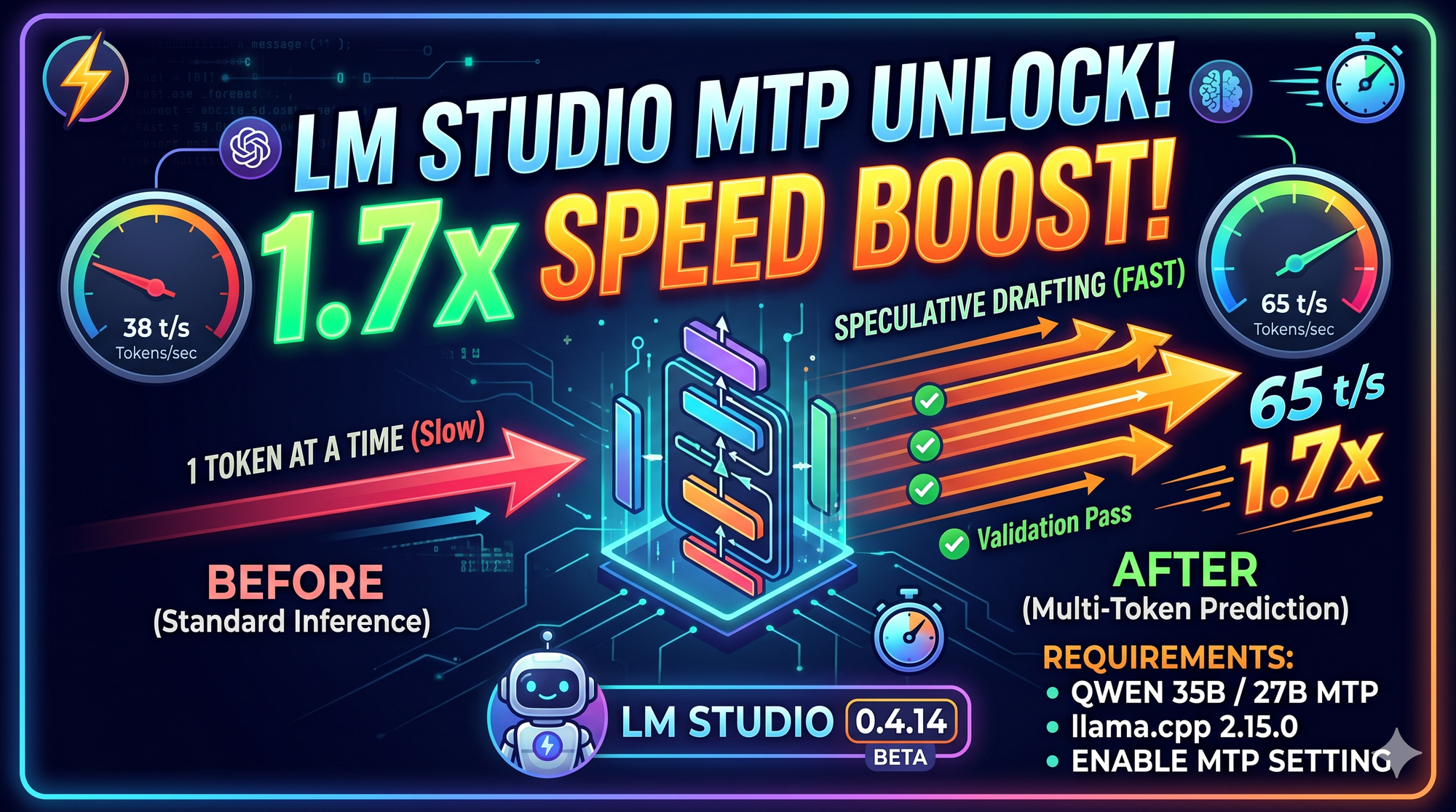
Real benchmarks on Qwen3.6 27B running on an RTX 3090 show a jump from 38 t/s to 65 t/s with MTP enabled — roughly a 1.7x speedup on the same hardware, same model, same quantization. On your 35B setup with mixed GPU/CPU offload, expect gains in the 1.3x to 1.7x range depending on the type of output you're generating. Code and structured reasoning sit at the high end; casual conversation sits lower.
The Two Requirements Before You Touch Anything
This is where most people will get tripped up, so let's be clear upfront.
MTP in LM Studio requires two things to be true simultaneously:
1. LM Studio 0.4.14 beta (build +3 or later) This is a beta release — it won't appear in the standard update channel. You need to manually update inside the app. Go to the update section and switch to the beta channel to get 0.4.14+3.
2. llama.cpp runtime engine version 2.15.0 LM Studio lets you choose which llama.cpp engine version it uses. MTP only works on 2.15.0. If your engine is older, the option will either not appear or silently do nothing. Inside LM Studio, go to Developer → Engine → Select Engine Version and make sure you're on llama.cpp 2.15.0.
Both must be set. One without the other won't work.
The Model Requirement: You Need the MTP Variant
This is the other thing that catches people out. MTP is not a setting you can apply to any GGUF file. It requires a model that was trained and released with MTP heads included.
For Qwen3.6, that means downloading the dedicated MTP variants:
Qwen3.6-35B-A3B-MTP-GGUFQwen3.6-27B-MTP-GGUF
These are different files from the standard GGUFs. The MTP heads are embedded in the model weights themselves. If you load a standard (non-MTP) GGUF and enable the setting, nothing happens — the heads aren't there.
Search for these models directly in LM Studio's model browser, or grab them from Hugging Face. Look for MTP in the filename — that's the signal.
Enabling It in LM Studio
Once you have the right app version, engine version, and model file, the setup is straightforward.
When loading your model, go to Advanced Model Load Settings and enable:
| Setting | Value |
|---|---|
| MTP Speculative Decoding | ON |
| Flash Attention | ON (keep this from before) |
| K/V Cache Quant | Q8_0 (unchanged) |
| Try mmap() | OFF (unchanged) |
| Keep Model in Memory | ON (unchanged) |
That's it. LM Studio handles the draft token count internally in this beta — you don't need to tune it manually yet.
What to Expect
Load the model, run a prompt that generates a longer response — a code block, a technical explanation, anything where the model needs to sustain output for more than a few sentences.
Watch the generation speed counter. You should see a meaningful jump compared to your previous baseline. If the number barely moves, double-check you're actually on engine 2.15.0 and that your GGUF filename contains MTP.
The gains are most visible on predictable output patterns — code, structured lists, math, repeated formats. Freeform creative writing will still improve, but less dramatically, because the draft predictions are harder to confirm when the token distribution is wider.
The Bigger Picture
Between GPU layer offloading, mmap disabled, memory locking, KV cache quantization, and now MTP — you're stacking optimizations that each attack a different part of the inference pipeline. MTP is the latest addition to that stack, and it's the first one that operates at the generation algorithm level rather than memory management.
It doesn't free up VRAM. It doesn't change how the model loads. It just makes the generation loop smarter — doing more per cycle by betting on the future and getting paid off most of the time.
The fact that it landed in a beta release this week, built on fresh llama.cpp support, means most people running local models haven't touched it yet. That's a gap worth closing.
Running the 35B or 27B MTP model? Drop your before/after numbers in the comments — I'll compile the results.